How to Download All Instagram Stories from a User at Once

If you’ve ever tried saving stories from an active Instagram account manually, you know how tedious it gets. A user posts 15 stories in a morning and you need all of them — so you tap into the first one, wait for it to load, hit the share icon, scroll past half a dozen options, tap Save, go back, repeat. Twenty times. That’s not a workflow; it’s a grind. Bulk save fixes this.
The Manual Way (and Why It’s a Nightmare)
Instagram doesn’t offer any native way to mass-download stories — not from the official app, not from the website. Every story is treated as a separate download action. On a phone, that means:
- Open the story
- Find and tap the three-dot menu (or long-press, depending on your version)
- Tap “Save” or “Save to Camera Roll”
- Back out to the next story
- Repeat
For a profile that posts 20 stories a day, that’s upward of 80 individual taps just to get through one session. Stories also disappear after 24 hours, so if you’re tracking someone’s content regularly — a competitor, a news source, a creator you follow for research — you have to do this every single day before the window closes.
There’s also no batch selection, no queue, no “save all” button anywhere in the Instagram interface. If you miss a session, the content is gone.
What Is Bulk Save?
Bulk Save is a feature in the IncoStory app that lets you download every active story from a profile in one action. Instead of opening and saving stories one at a time, you search for a username, tap a single button, and IncoStory downloads the entire set of current stories in the background while you do something else.
The result is a clean set of story files — photos and videos in their original quality — waiting for you in the app’s Private Gallery when the download completes. No manual tapping, no timing issues, no risk of missing one because you swiped too fast.
Bulk Save works on both photos and video stories. If a profile has 22 stories up right now, all 22 will be downloaded and organized together so you can browse them at your own pace.
How to Bulk Download with the IncoStory App
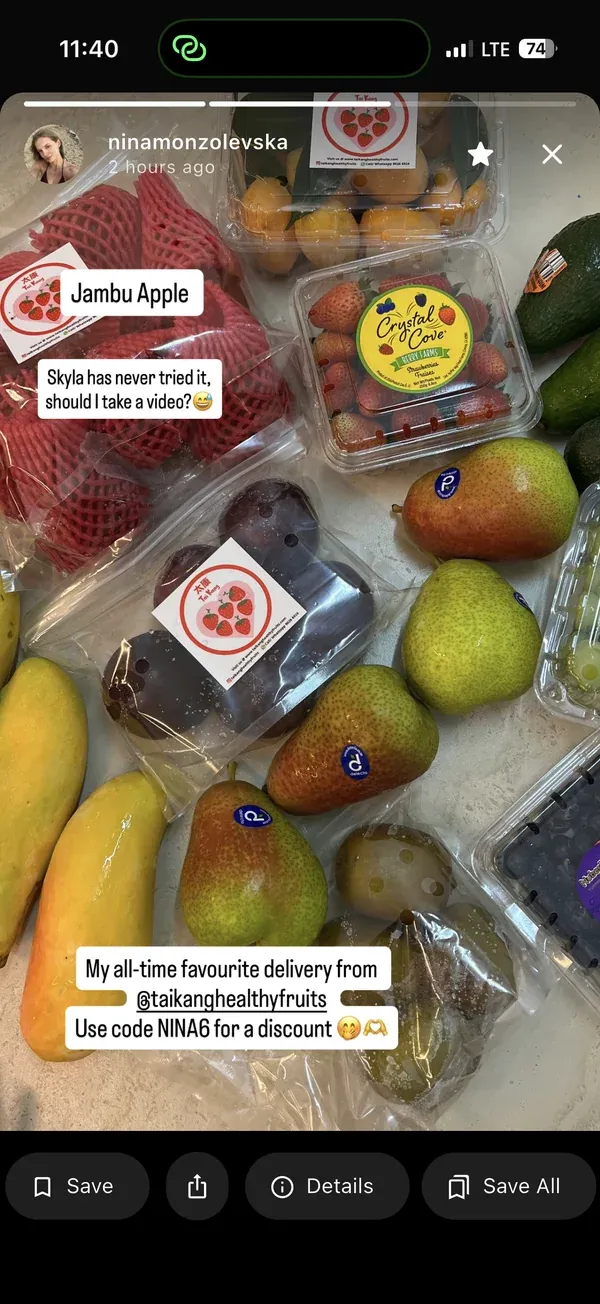
Here’s the full process, start to finish:
-
Open the IncoStory app on your iOS or Android device. If you don’t have it yet, download it from the IncoStory homepage.
-
Search for the profile you want to download from. Type the username into the search bar at the top. IncoStory will show the account’s profile picture and current story count if stories are available.
-
Tap the Bulk Save button. It appears as a download icon next to the profile result, or on the profile screen itself. You don’t need to open individual stories first — tapping Bulk Save queues all of them immediately.
-
Wait for the download to complete. IncoStory shows a progress indicator. Depending on how many stories the account has and your connection speed, this usually takes a few seconds to under a minute for a full batch.
-
Check your Private Gallery. Once the download is done, open the Gallery tab inside IncoStory. Your downloaded stories will be grouped by username and date, making it easy to find what you just saved and compare across sessions if you download regularly.
That’s genuinely the entire process. You don’t need to tap into each story, manage any files manually, or worry about the 24-hour expiry cutting you off.
Can You Bulk Download from the Browser?
The IncoStory Online Viewer lets you watch and download stories one at a time directly from any browser — no app installation required. It’s fast, anonymous, and works on any device including desktop.
The web viewer is ideal when you need to quickly grab one or two stories, check what’s currently posted on a profile, or watch stories from a computer. Individual download buttons appear on each story frame, so saving a specific clip or photo is a single click.
That said, the web viewer doesn’t support true bulk download in a single tap the way the app does. If you need to save an entire set of stories from a profile — especially if you’re doing this for multiple accounts or on a regular schedule — the app’s Bulk Save feature is the faster route. Think of the web viewer as the right tool for quick, casual checks, and the app as the right tool for systematic content collection.
Where Are Downloaded Stories Saved?
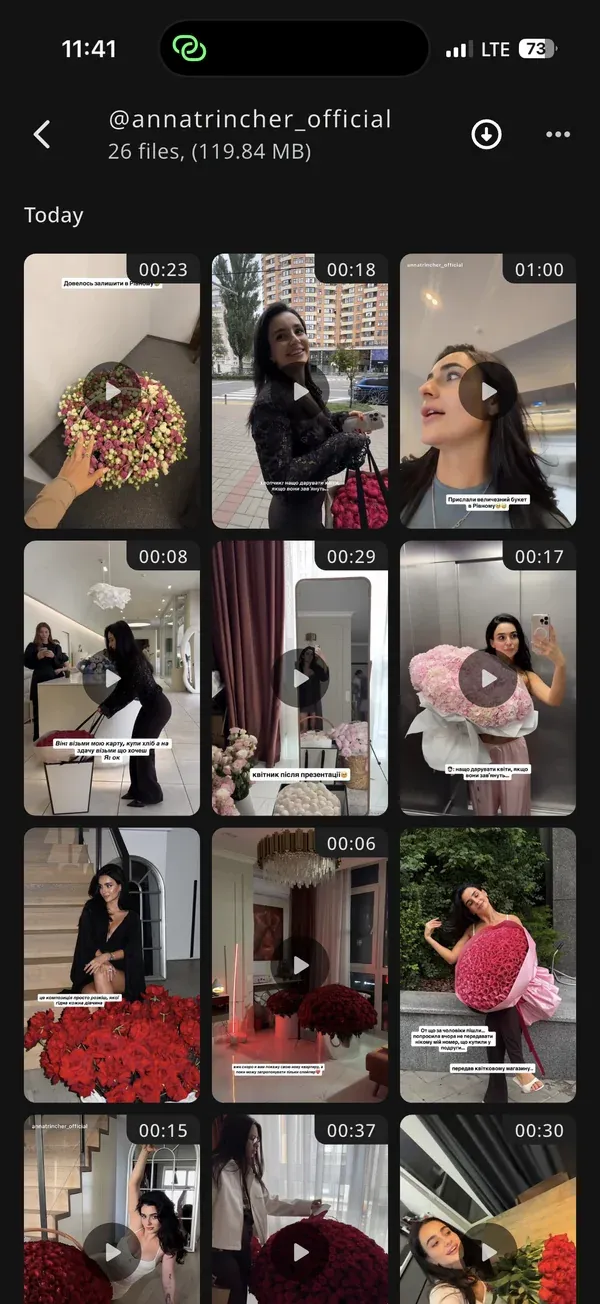
Stories downloaded through IncoStory go into the app’s Private Gallery — a separate, in-app storage area that is not connected to your phone’s regular camera roll or photo library. This has a few practical advantages:
- Stories stay private. They don’t appear in your main Photos app or show up in shared albums, screenshots previews, or iCloud/Google Photos sync.
- PIN and biometric protection. The Private Gallery can be locked with a PIN or Face ID, so if someone else picks up your phone, they won’t stumble across the content.
- Organized by account and date. IncoStory keeps downloads grouped so you can easily find stories from a specific user across multiple download sessions.
If you want to export a story to your camera roll — to share it, edit it, or back it up outside the app — you can do that from within the Private Gallery with one tap. But the default is to keep things contained inside IncoStory.
FAQ
How fast is bulk download?
Speed depends on the number of stories and your internet connection. For a typical profile with 10–20 stories, bulk download usually completes in well under 30 seconds on a standard mobile connection. Video stories take slightly longer than photos because the files are larger, but IncoStory downloads them in parallel rather than one at a time, so the total wait is much shorter than doing it manually.
Does Bulk Save work for Instagram Highlights?
Yes. IncoStory supports downloading Highlights in addition to active stories. Highlights are older story collections that a user has pinned to their profile — they don’t expire, but you can still bulk-save them. For a full walkthrough on viewing and downloading Highlights, see our guide on how to view and download Instagram Highlights anonymously.
Does the account owner get notified when I bulk download their stories?
No. IncoStory is built specifically so that your activity is not visible to the account you’re viewing. The profile owner won’t see your username in their story viewers list, and there’s no notification for downloads. This applies to both the app and the web viewer.
What quality are the downloaded stories?
IncoStory downloads stories in the same resolution they were uploaded to Instagram. Instagram caps story resolution at 1080×1920 pixels for photos and video, so that’s what you get — full HD, not a compressed preview. There’s no quality degradation introduced by the download process.
Can I bulk download stories from private accounts?
Bulk downloading from private accounts requires you to be logged into the IncoStory app with an Instagram account that already follows that private profile. If you follow the account in Instagram, IncoStory can access those stories on your behalf and bulk-save them — without your view being registered in the story viewers list. Bulk Save for private accounts is not available through the web viewer, which is limited to public profiles.
Bulk downloading stories is one of the most practical time-savers IncoStory offers, especially for anyone who tracks accounts regularly rather than checking in occasionally. If you’re also interested in what you can do once you have those stories — like watching them without the owner knowing — the guide on how to view Instagram stories anonymously covers everything from the quick browser method to full private-account access.

View Instagram Stories Anonymously
Right in your browser, no login needed. Or get the app for unlimited viewing and downloads.
★ 4.9 · 250K+ users